HTTPS encrypts data transferred between your browser and a website, protecting sensitive information from attackers who might intercept unencrypted HTTP connections. This security upgrade has become the web standard, with 95% of Chrome browser traffic now using HTTPS as of 2025.
The transition from HTTP to HTTPS represents one of the most significant security shifts in internet history. What started as an optional upgrade has evolved into a requirement. Browsers now flag HTTP sites as “Not Secure,” and search engines penalize them in rankings.
What Makes HTTPS Different From HTTP?
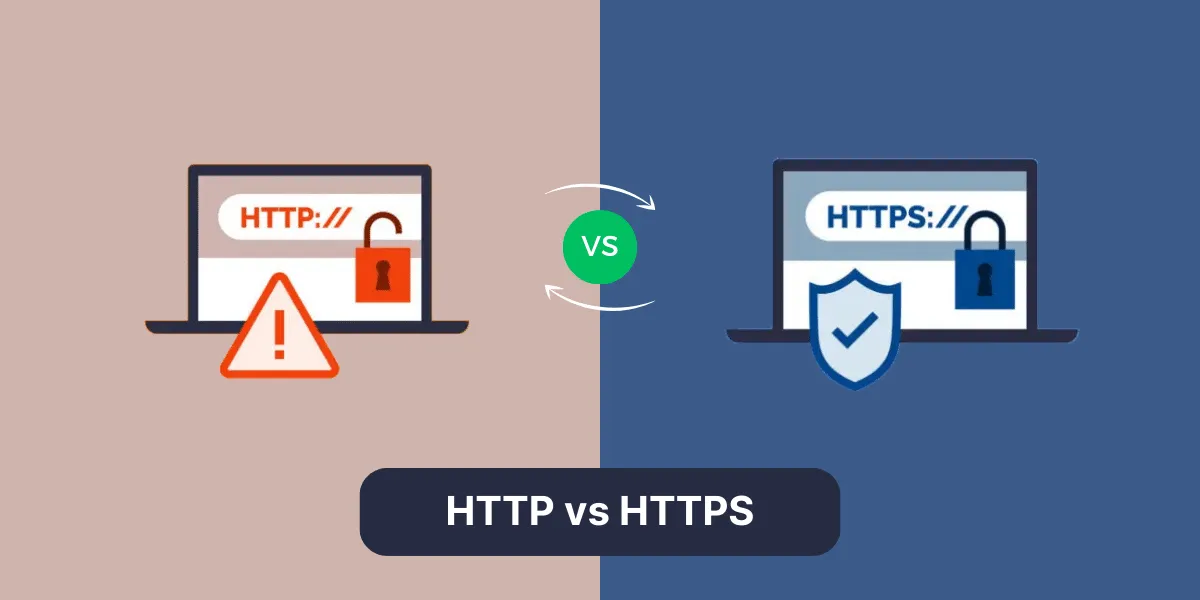
HTTP (Hypertext Transfer Protocol) transmits data in plain text between your device and a web server. Anyone monitoring network traffic can read everything—passwords, credit card numbers, personal messages.
HTTPS adds a security layer through SSL/TLS encryption. The “S” stands for Secure, and it changes everything about how data moves across the internet. When you visit an HTTPS site, your browser and the server create an encrypted tunnel. Even if someone intercepts the data, they see gibberish instead of readable information.
The padlock icon in your browser’s address bar signals this protection. No padlock means the connection remains vulnerable.
| Feature | HTTP | HTTPS |
| Data Encryption | None (plain text) | AES 256-bit encryption |
| Port Number | Port 80 | Port 443 |
| URL Prefix | http:// | https:// |
| Browser Warning | “Not Secure” flag | Padlock icon |
| SEO Ranking | Lower priority | Ranking signal boost |
| Certificate Required | No | Yes (SSL/TLS) |
How Does HTTPS Encryption Actually Work?
The security relies on asymmetric cryptography. When you connect to an HTTPS website, the server sends a digital certificate containing a public key. Your browser uses this key to encrypt a randomly generated session key, which only the server’s private key can decrypt.
Once both sides have the session key, they switch to symmetric encryption for the actual data transfer. This two-step process balances security with performance:
- Asymmetric encryption secures the initial handshake
- Symmetric encryption handles the bulk data transfer
Why Did Google Make HTTPS a Ranking Factor?
Google confirmed in 2014 that HTTPS functions as a ranking signal. Sites using secure connections gained an advantage in search results. The impact started small but grew substantially over the following decade.
Search engines prioritize user safety. When identical content exists on HTTP and HTTPS versions, the secure site ranks higher. This isn’t about minor improvements—HTTP sites risk dropping several positions in competitive searches.
Currently, 95% of traffic across Google’s search engine is encrypted (July 2025). Google Search Console provides detailed reports exclusive to HTTPS sites, showing which pages serve securely and flagging security issues. HTTP sites miss these insights entirely.
What Security Risks Does HTTP Create?
Unencrypted connections expose users to multiple attack vectors:
- Man-in-the-middle attacks let hackers position themselves between user and server, intercepting or modifying data in transit
- Session hijacking allows attackers to steal authentication cookies and impersonate users
- DNS spoofing redirects users to fake versions of legitimate sites
- Packet sniffing on public WiFi networks reveals all transmitted data
Standard HTTP operates over port 80, transmitting all data in plain text. HTTPS makes this surveillance useless since encrypted data cannot be deciphered without the private keys, operating instead over the secure port 443.
How Does HTTPS Impact Website Performance?
Modern HTTPS implementations actually improve speed compared to older HTTP connections. HTTP/2 and HTTP/3 protocols work exclusively over HTTPS, providing features like multiplexing, header compression, and server push that accelerate page loads.
The TLS handshake does add a small overhead—typically 100-200 milliseconds. But newer TLS 1.3 protocol reduces handshake time through faster cryptographic algorithms.
Browser pre-connection features minimize delays:
- Persistent HTTPS connections stay open for multiple requests
- TLS session resumption eliminates repeated handshakes
- DNS prefetching resolves domain names before users click links
What Are the SEO Benefits Beyond Rankings?
HTTPS improves analytics accuracy. When traffic moves from an HTTPS site to another HTTPS site, referral data transfers correctly. HTTP destinations show this traffic as “direct” instead, hiding valuable information about traffic sources.
User trust signals strengthen with secure connections. Bounce rates decrease when visitors see the padlock icon instead of security warnings. Time on site increases as users feel comfortable engaging with content and forms.
High-quality backlinks come easier to HTTPS sites. Authoritative domains avoid linking to unsecured sites, viewing them as potential security risks. The padlock icon signals credibility that encourages other webmasters to reference your content.
How Do You Migrate From HTTP to HTTPS?
Start by obtaining an SSL/TLS certificate. Free options from Let’s Encrypt work well for most sites. Premium certificates from commercial CAs offer extended validation (EV) for organizations needing maximum trust indicators.
Follow this migration sequence:
- Purchase or generate SSL certificate for your domain
- Install certificate on your web server or hosting account
- Update internal links to use HTTPS URLs (images, scripts, stylesheets)
- Configure 301 redirects from all HTTP URLs to HTTPS equivalents
- Enable HSTS headers to force browsers to use HTTPS
- Update sitemaps and submit through Google Search Console
- Change canonical tags to point to HTTPS versions
- Monitor crawl errors for the first few weeks
Most hosting providers offer one-click installation tools. Server configuration varies by platform—Apache uses different directives than Nginx or IIS.
What Common HTTPS Implementation Mistakes Should You Avoid?
Certificate expiration causes complete site outages. Automated renewal systems prevent this problem. Let’s Encrypt issues 10 million certificates daily with built-in 90-day expiration and automatic renewal.
Watch for these frequent errors:
|
Problem |
Impact |
Solution |
|
Mixed Content |
Browser warnings, blocked resources |
Update all resource URLs to HTTPS |
|
Redirect Loops |
Site becomes inaccessible |
Test redirect rules before deployment |
|
Incomplete Certificate Chain |
Validation failures on some browsers |
Include intermediate certificates |
|
Wrong Certificate Type |
Domain mismatch errors |
Use wildcard cert for subdomains |
|
Expired Certificates |
Complete site outage |
Set up auto-renewal notifications |
According to SSL Insights, over 305 million SSL certificates existed on the internet as of July 2025. Despite this growth, 28.7% of surveyed sites failed to follow best practices for SSL implementation in June 2024, including incomplete certificate chains and weak encryption ciphers.
Mixed content errors occur when HTTPS pages load resources over HTTP. Browsers block or warn about these requests. Use relative URLs or ensure all external resources support HTTPS.
How Will HTTPS Requirements Change in 2026?
Chrome 154 will enable “Always Use Secure Connections” by default in October 2026. The browser will warn users before loading any public HTTP site, asking explicit permission to proceed. This affects the remaining 5% of non-HTTPS web traffic.
Certificate lifespans are shrinking. Let’s Encrypt will reduce validity periods from 90 days to 45 days by February 2028. This change limits the window for exploiting compromised certificates while encouraging automation.
The reauthorization period will drop from 30 days to 7 hours by 2028. This means certificate authorities will verify domain control much more frequently, reducing the risk of certificates issued for domains no longer under the original owner’s control.
Does HTTPS Protect Against All Security Threats?
HTTPS secures the connection, not the content. Phishing sites use HTTPS to appear legitimate—the padlock icon doesn’t guarantee trustworthiness.
Here’s what HTTPS does and doesn’t protect:
HTTPS Protects Against:
- Data interception during transmission
- Eavesdropping on public networks
- Man-in-the-middle attacks
- Session hijacking through packet sniffing
HTTPS Does NOT Protect Against:
- Phishing websites with valid certificates
- Malware on user devices
- Server-side vulnerabilities
- SQL injection or XSS attacks
- Social engineering tactics
The encryption prevents eavesdropping on data in transit. It does nothing against compromised endpoints, malware on user devices, or vulnerabilities in web applications. Server-side security remains separate from transport security.
Certificate validation shows the site’s identity but doesn’t guarantee trustworthiness. Domain validation (DV) certificates only verify domain ownership. Extended validation (EV) certificates perform stricter identity checks but represent a small fraction of total certificates.
What Does the Future of Web Encryption Look Like?
88% of websites now use HTTPS as of January 2025. The remaining HTTP sites concentrate in private networks, legacy systems, and regions with encryption restrictions. Universal HTTPS adoption faces technical and political barriers but continues advancing.
Post-quantum cryptography integration approaches. Current encryption algorithms will become vulnerable when quantum computers reach sufficient power. Certificate authorities are preparing quantum-resistant algorithms to protect against future threats.
Zero-trust architectures extend beyond transport encryption. HTTPS remains foundational, but modern security requires authentication, authorization, and encryption at every layer. The web moves toward assuming all networks are hostile and verifying every interaction.